AI supply chain · decision intelligence
Getting planners to trust an AI they didn’t build.
Peak’s demand forecasts were accurate. Nobody used them. I redesigned the product around the real bottleneck, which was never accuracy. It was trust.
- Role
- Design strategy, product design
- Timeline
- 2024–25
- In production at
- Tesco, Nissan, Adidas
- −18%
- retail stock-outs
- −50%
- overproduction
- +30%
- production efficiency
- 90%
- faster disruption response
Context
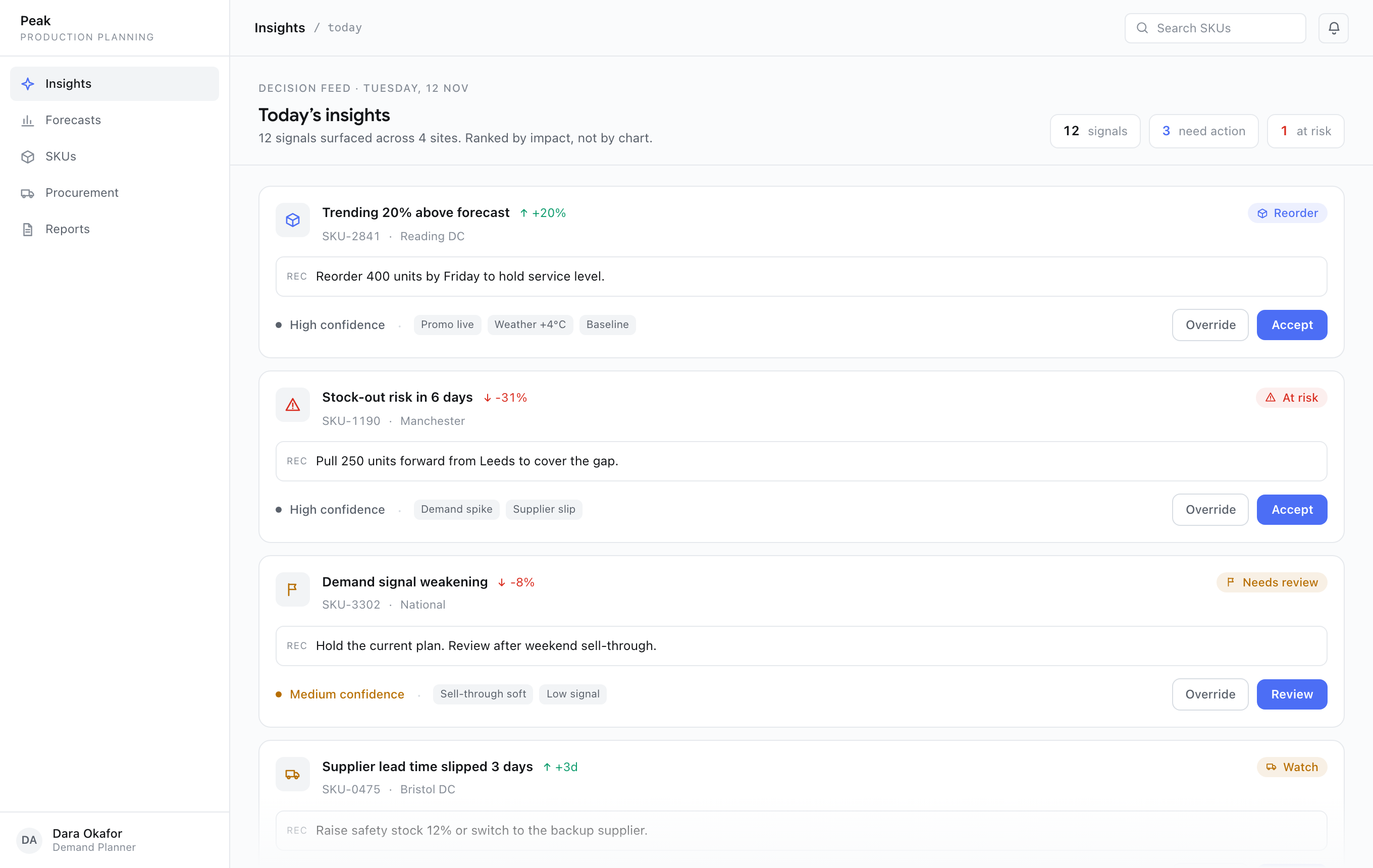
Peak builds AI for the supply chain. Their Production Planning platform sits between a machine-learning demand model and the planners at Tesco, Nissan, and Adidas who decide what to make and order each week. I led design strategy: turning model output into decisions a human would actually act on.
The challenge
The data science team had built something genuinely good: demand forecasts at the SKU level, not the broad category level most tools stop at. The forecasts were accurate. Planners didn’t use them.
They ran their own spreadsheets on the side. They adjusted plans by hand after a disruption had already happened. The dashboard was a thing they logged into each morning to keep IT off their back. A more accurate model was landing on screens and changing nothing.
In the field
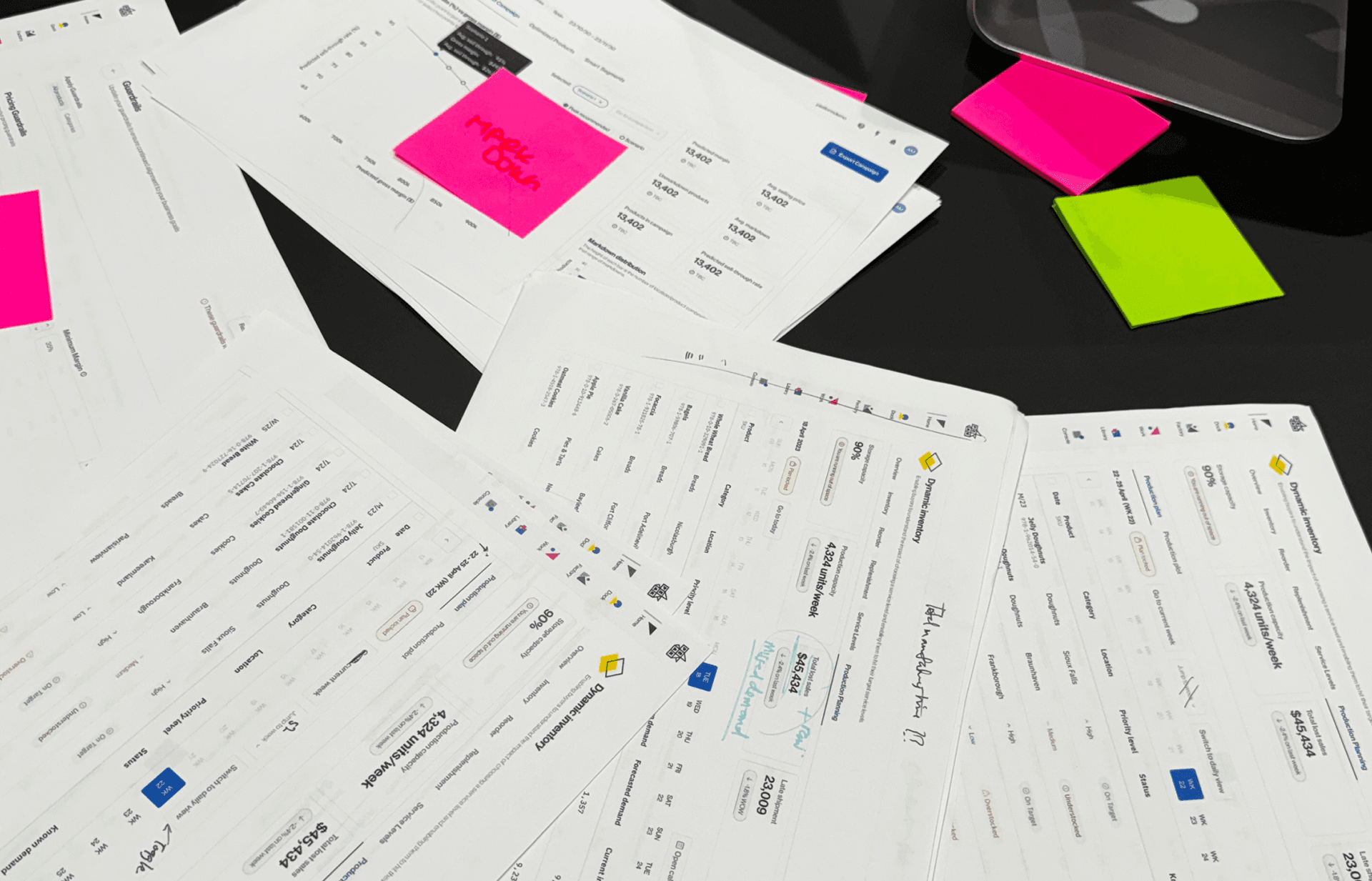
I sat with planners at Tesco and Nissan and watched the workaround happen. The model would surface a number. The planner would glance at it, distrust it, and reopen the spreadsheet they actually trusted. The same decision, made twice, the second time by hand.
The reframe
It was never an accuracy problem. It was a trust problem.
Better forecasting wasn’t the bottleneck. The interface told planners what to do without telling them why. It gave them no way to push back when their on-the-ground knowledge disagreed. And it couldn’t move a single SKU without breaking the plan downstream. The job wasn’t a better number. It was enough visibility and control for a human to act on the number at all.
How we rebuilt trust
Four moves, each aimed at one reason planners didn’t trust the model.
Move 01
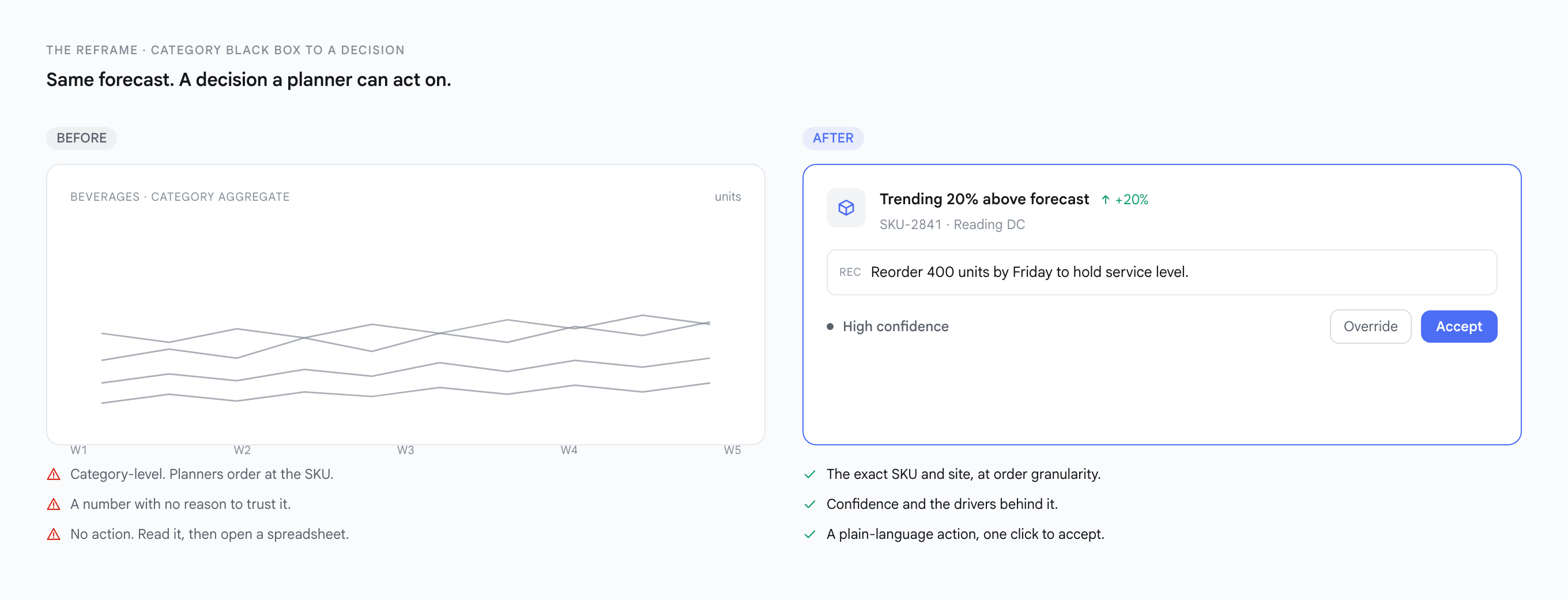
From a category black box to a SKU-level decision
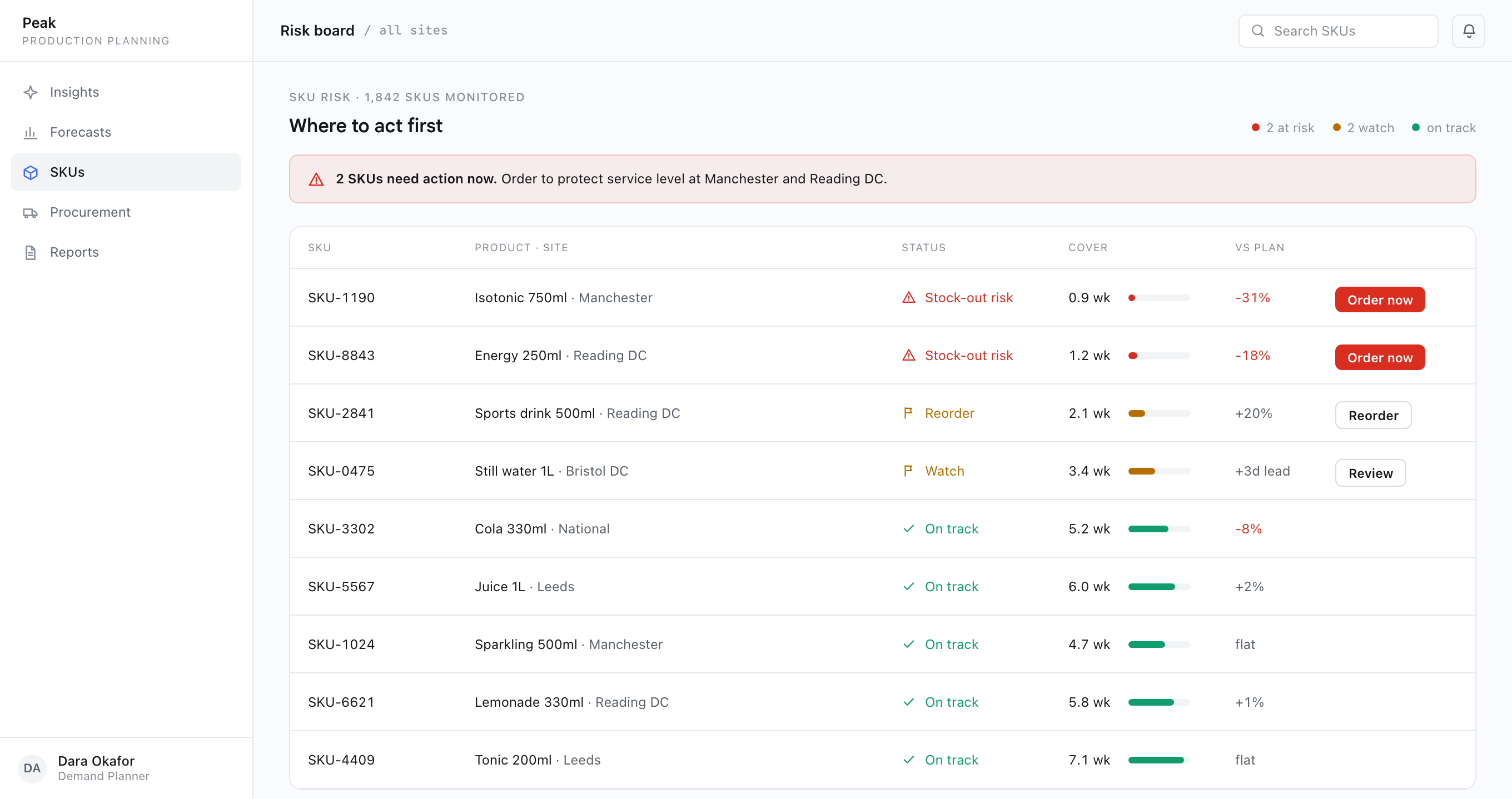
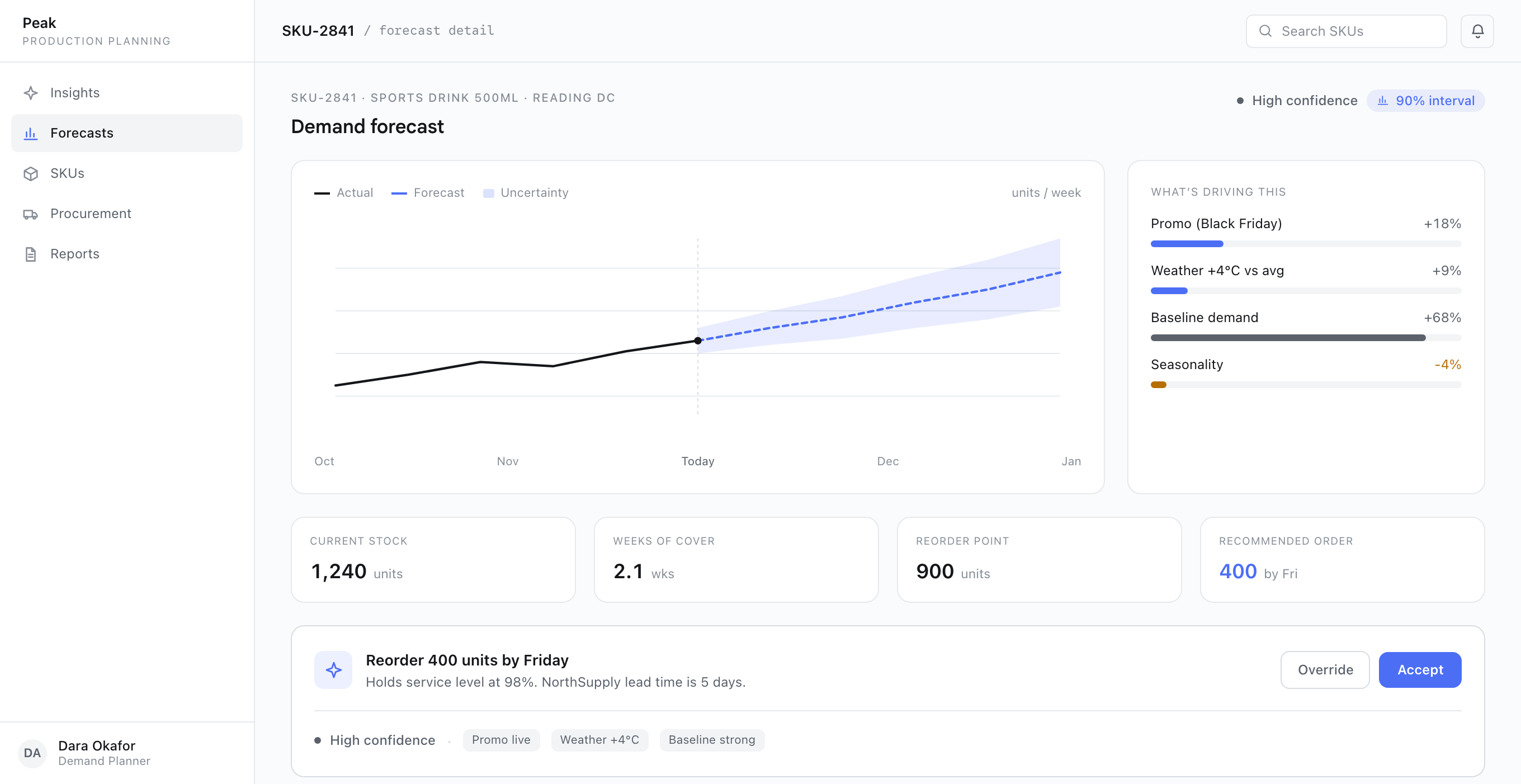
Most decision tools aggregate to category to keep dashboards readable. Planners order at the SKU. I designed for SKU-level density on purpose, and replaced raw charts with insight cards that say what changed and what to do. Dashboards got harder to skim. Planners stopped running spreadsheets on the side.
Move 02
From a black box to visible confidence
Every forecast now carries a confidence level and the signals behind it: promo, weather, baseline, seasonality. A high-confidence call surfaces to act on. A low-confidence one asks for a human before anything ships. Planners could finally see why the model believed what it believed, and the uncertainty around it.
Move 03
From no say to a logged override
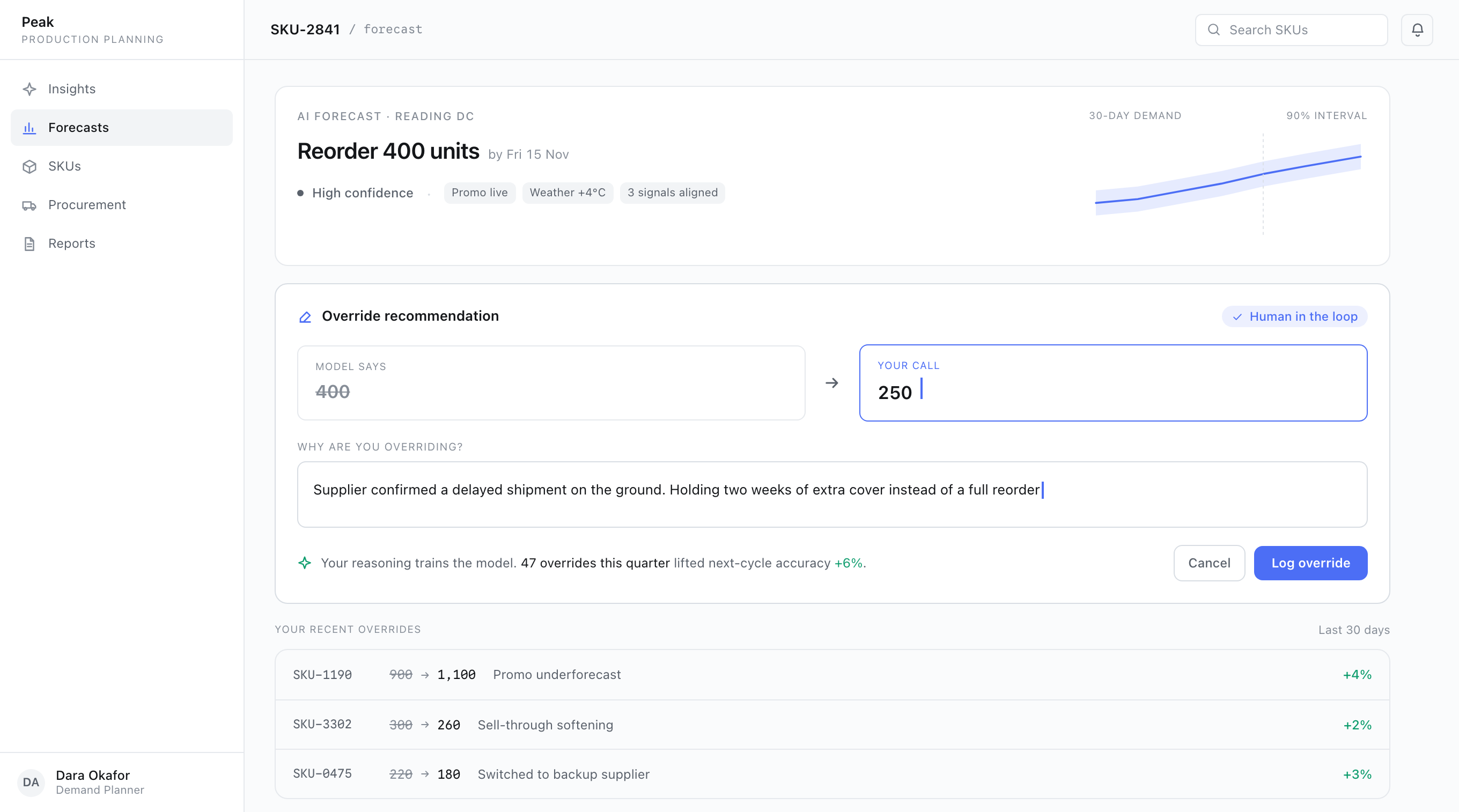
Usability testing kept telling me the same thing: planners wanted to argue with the AI. So the override does not just replace the number, it captures the planner’s reasoning and feeds it back as training signal. More friction per decision, by design. Trust went up, and the model got smarter from human contradiction.
Move 04
From five versions of the truth to one
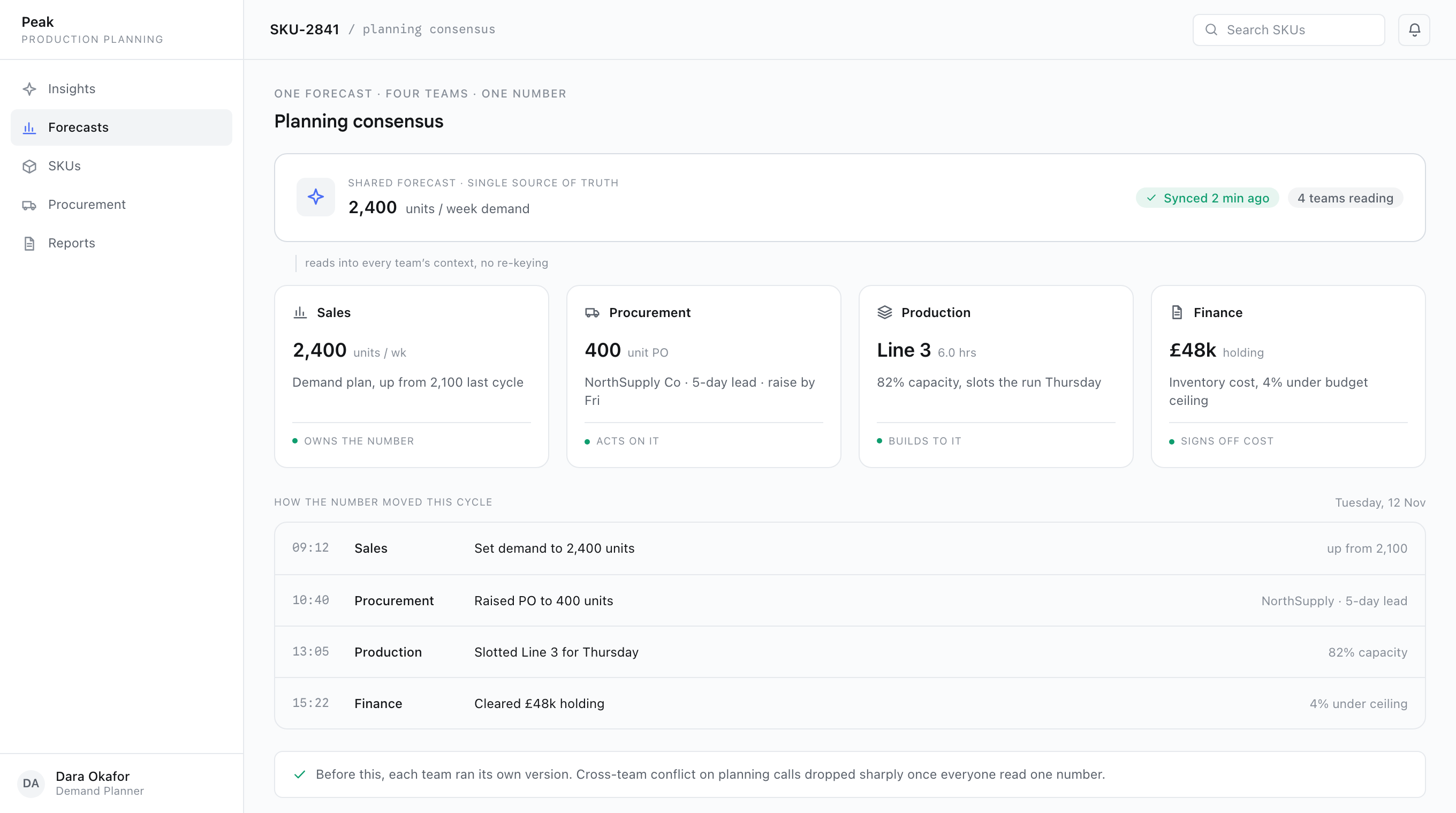
A planner could not act on a SKU without breaking procurement. I rebuilt the product around a single shared forecast that every team reads in its own context: sales, procurement, production, finance. One number, no re-keying. Cross-team conflict on planning calls dropped sharply.
What changed
Adoption was the metric that mattered, and it moved because trust did. Planners stopped keeping their own spreadsheets. The numbers followed.
“By the time a forecast reaches a planner, the question isn’t is the model right. It’s do I trust this enough to act on it.”
Retail stock-outs dropped 18% across Tesco, Nissan, and Adidas. Overproduction and holding cost fell by half. Production efficiency rose 30%, and the team responded to disruptions 90% faster, because a planner could see the signal, override with reason, and move one SKU without breaking the plan.
Reflection
Peak taught me that AI products fail at adoption, not accuracy. By the time a forecast reaches a planner, whether the model is right matters less than whether they trust it enough to act. That’s a design question, not a data science one.
The most senior thing I did at Peak wasn’t a screen. It was moving the team from “make the forecast better” to “give a human enough to act.”