AI document intelligence · KYC
The model was accurate. Compliance still wouldn’t let it decide.
Voyance read KYC documents from Nigerian fintechs faster than any team could. On a regulated decision, accurate wasn’t the bar. I rebuilt the product so the model clears the easy 80% and a reviewer only sees the fraction it doubts.
- Role
- Product design, design strategy
- Context
- KYC for Nigerian fintechs
- Program
- Techstars S22
- −80%
- manual review
- 90%
- faster processing
- −70%
- reviewer dependency
- Instant
- customer approvals
Context
Voyance builds AI document intelligence for fintech. I was the product designer, backed by Techstars S22. Nigerian fintechs have to run KYC on thousands of identity documents a week: passports, driver’s licences, voter cards, utility bills. The team had built a model that read them well. My job was to turn that reading into a decision a regulated business could actually stand behind.
The challenge
The model was good. It pulled the right fields off a Nigerian utility bill better than the generic OCR every competitor shipped. Accuracy wasn’t where we were losing.
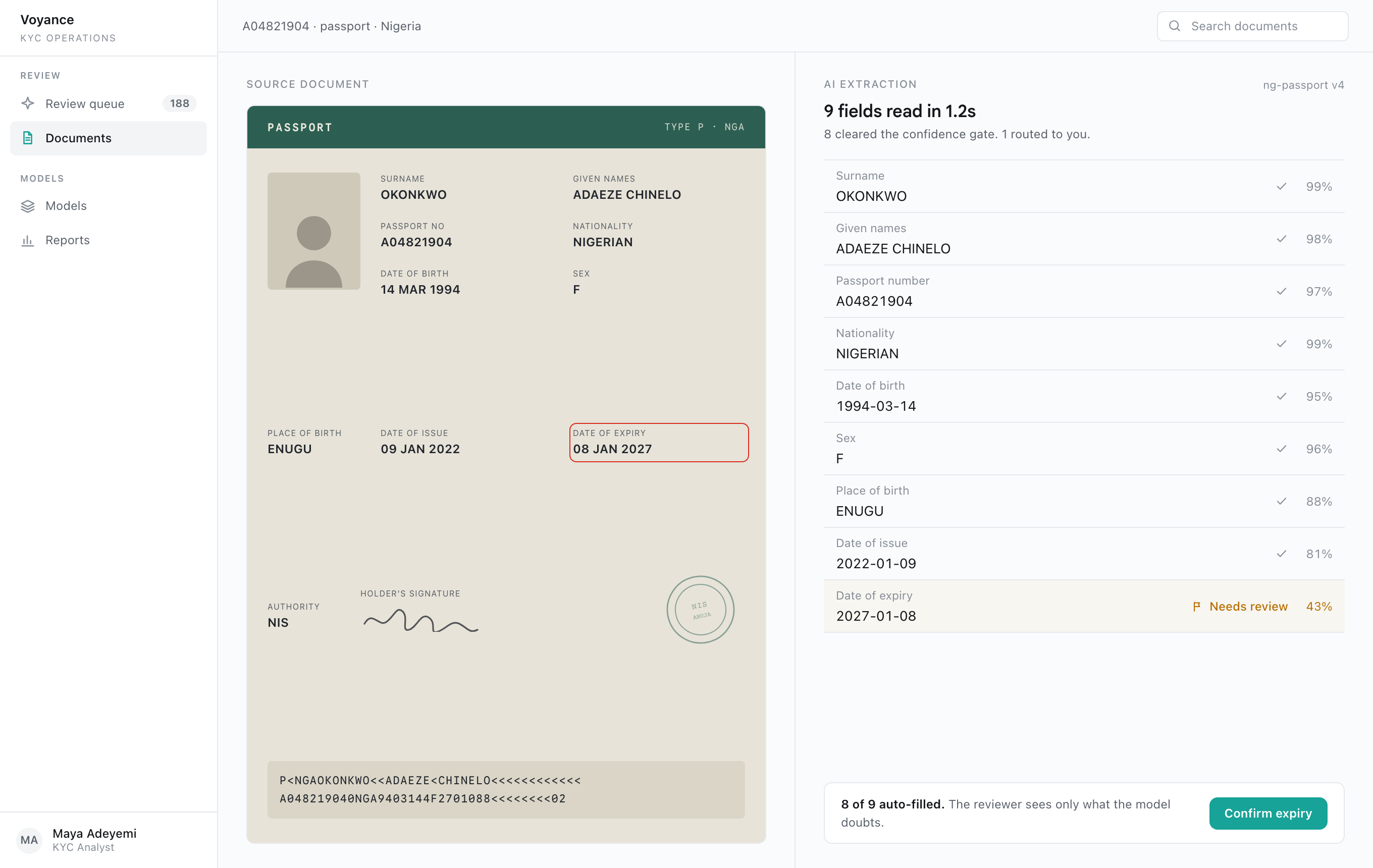
We were losing on sign-off. A compliance team will not let an automated extraction stand on its own when the output decides whether a person can open an account. The first product answered that with a verification screen: here is what we read, please check all of it. So a human re-read every document the model had already read correctly. The automation was real, and it changed almost nothing about the work.
In the field
I sat with KYC analysts and watched them work the verification screen. They were fast, and bored. Passport after passport, the model was right and they confirmed it. The ambiguous ones, a blurred date, a glare on a licence, an account number with an O that might be a zero, were maybe one in five. Those were the only documents that deserved a human. Everything else was a rubber stamp dressed up as review.
The reframe
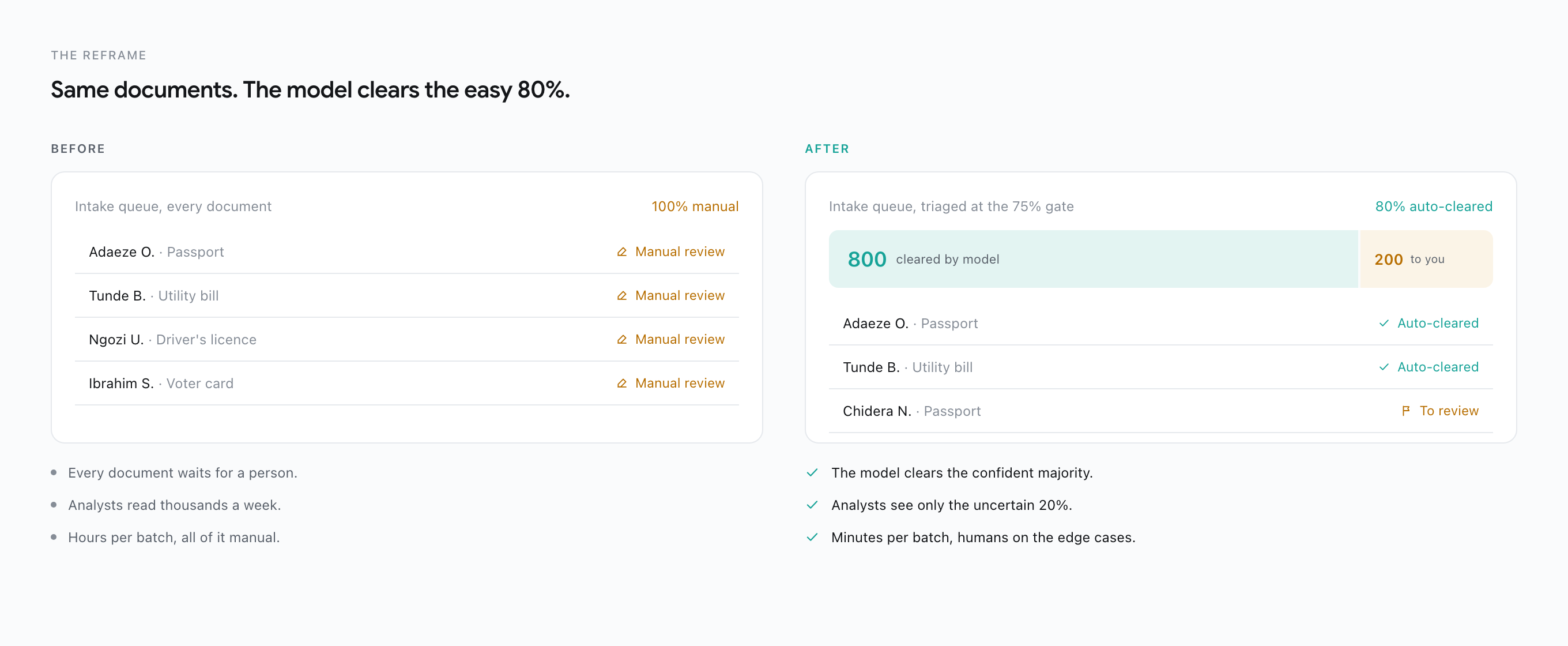
The model didn’t need to be more accurate. It needed to know when to ask.
The goal stopped being full automation and became triage. Let the model carry its own confidence. When it is sure, it clears the document and moves on. When it is not, it routes that one field to a reviewer and says exactly why it hesitated. Compliance gets a human on every uncertain call, which is what they actually wanted. Analysts get their attention back for the decisions that carry risk. Same model, different question: not can it read this, but should a person see it.
How it works
Two moves turned an extraction tool into a triage tool.
Move 01
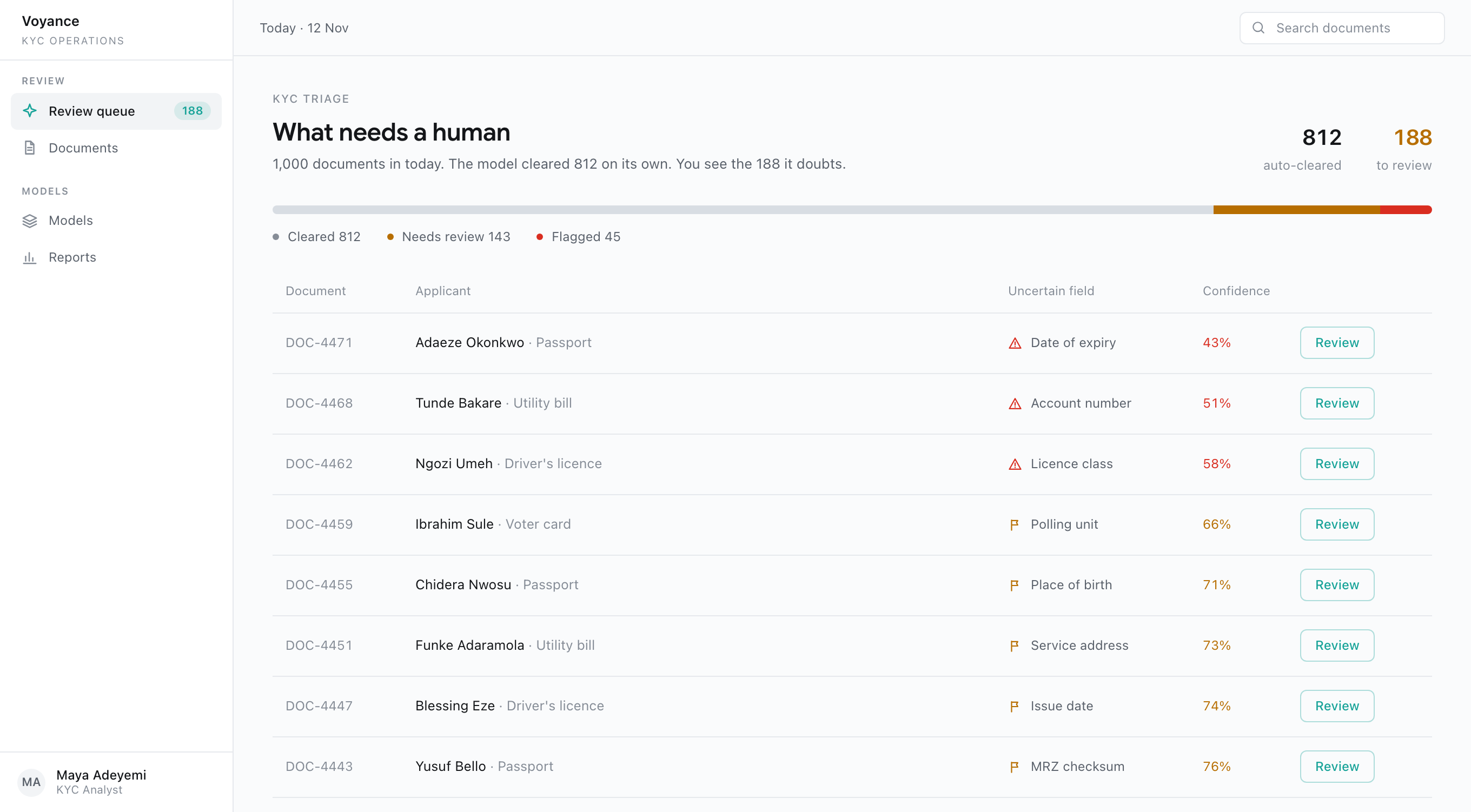
From one queue for everyone to a confidence gate
Every document used to land in the same pile and wait for a person. I split intake by the model’s own confidence. Above the gate, a read clears and posts the KYC result. Below it, the document routes to a reviewer with the exact field the model doubts attached. Analysts stopped reading thousands of clean passports to find the handful that were genuinely ambiguous.
Move 02
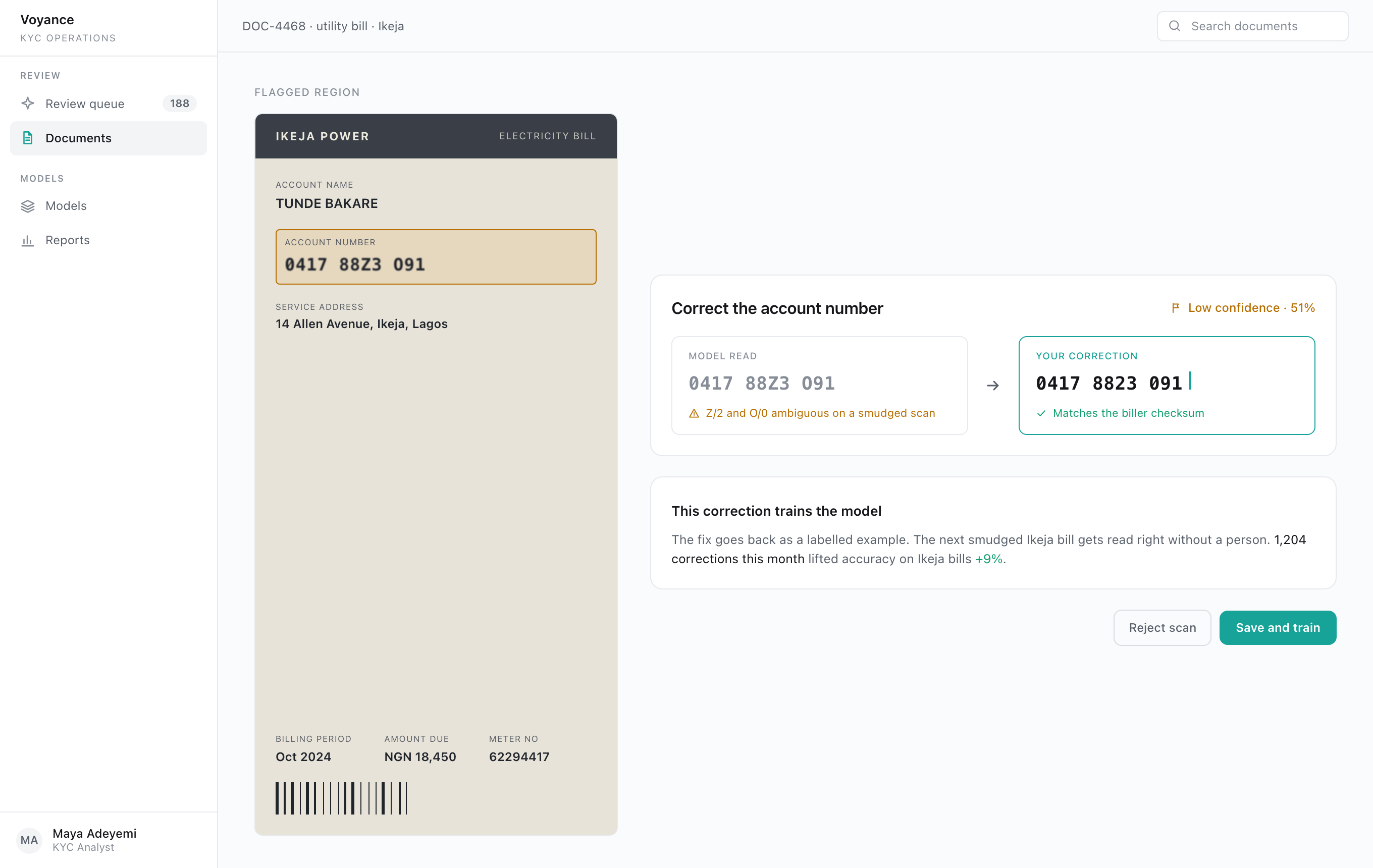
From fixing the output to training the model
The first version treated a reviewer’s correction as cleanup. I made the correction the point. When someone fixes a smudged account number, that fix goes back as a labelled example, so the next bill like it reads right without a person. The reviewer isn’t tidying up after the model. They’re teaching it, and their attention compounds.
What changed
Once the model only asked when it was unsure, the work collapsed. Manual review dropped by 80%. The team’s dependency on a large review headcount fell by 70%, and they redeployed people to the cases that actually needed judgement. Documents that used to take hours cleared in minutes, 90% faster, and customers were approved instantly instead of waiting in a queue.
“The model’s real job wasn’t reading documents. It was protecting a reviewer’s attention for the one in five that needed it.”
The corrections made it compound. Every fix a reviewer logged trained the model on that document type, so the share it could clear on its own kept climbing. The API pushed the same engine into customers’ own systems, so the triage ran where the documents already lived.
Reflection
Voyance taught me that the senior move on an AI product is deciding where the human belongs, not deleting them. The tempting design is a verification screen: here is the output, please confirm. The better one trusts the model on the routine and routes a person to the edge cases, where a wrong read carries a real compliance cost.
By the time an extraction reaches a KYC analyst, the question was never is the model right. It was does this decision need a human at all.
Automate the tedious. Aim the human at the doubt.